Why a Complete Google Business Profile Is Critical for Local Success
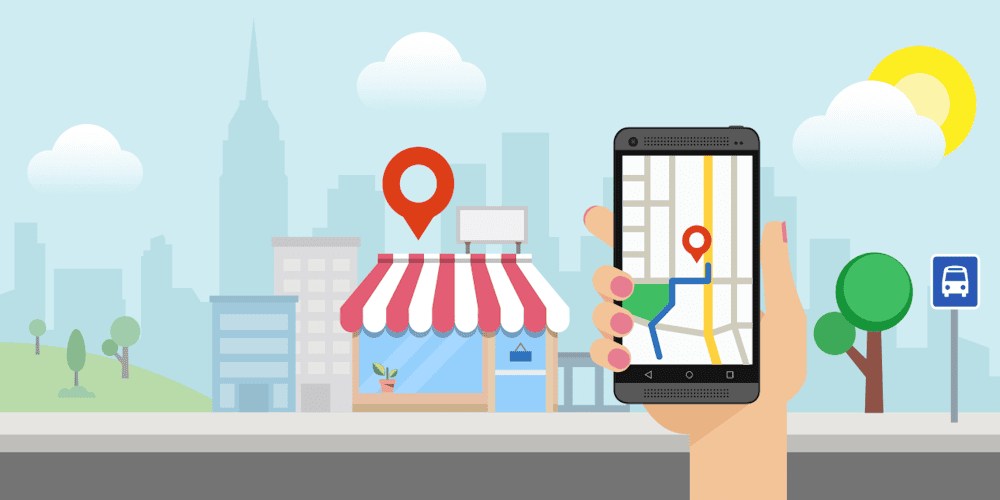
A fully completed Google Business Profile is no longer a “nice-to-have”; it is an essential asset for any local business that wants nearby customers to discover, trust, and choose it. When people search for products or services in their area, Google often shows Business Profiles before traditional websites, meaning your profile can easily become a customer’s very first interaction with your brand.
By treating your Google listing as a central part of your local marketing, you gain greater visibility in local search results, appear more prominently in Google Maps, and build instant credibility through reviews, photos and accurate information.
This guide walks you step by step through completing and optimising your Google Business Profile so you can increase local search visibility, use your free Google listing, and turn casual searchers into paying customers.
Understanding Your Google Business Profile: What It Is and How It Works
Your Google Business Profile is Google’s free business listing that displays key information about your company directly in search results and on Google Maps. When someone searches for your business name or a relevant local service, Google can show a detailed panel – often called the Knowledge Panel – with your name, address, phone number, website, photos, reviews, opening hours and more. For local, intent-driven queries, Google also shows the “local pack”: a map and three highlighted businesses pulled from Google Business Profiles. Understanding how your profile feeds into this local pack and your Google Maps listing is vital.
Previously known as Google My Business, the platform is now called Google Business Profile, but its core goal remains the same: helping potential customers quickly find accurate, trustworthy information about local businesses and decide who to contact or visit.
Getting Started: Setting Up and Claiming Your Google Business Profile
To use these features, you must first set up and claim your Google Business Profile. Start by searching for your business on Google; if a listing already exists, you can request ownership. If not, you will create a new profile from scratch using your Google account. During sign-up, Google will ask for basic details such as your business name, address, category and contact information.
To protect both businesses and users, Google requires you to verify that you own the business. You can verify this via a postcard sent to your business address, a phone call, email, or, in some cases, video verification.

Completing this verification step promptly ensures you gain full control over your listing, enabling you to update details, respond to reviews and access performance insights.
Step 1 – Choosing the Correct Business Name and Primary Category
Getting your business name and primary category right is crucial for both customer trust and local rankings. Your business name should reflect your real-world branding and match exactly how it appears on signage, your website, and other directories. Avoid keyword stuffing – adding extra phrases like “best plumber Durham cheap” – as this violates Google’s guidelines and can lead to penalties, lower visibility or even suspension.
Selecting the most accurate primary business category is equally important, as it signals to Google which searches your business is most relevant for. Take time to explore the available categories and choose the one that best describes your main service or offering. The right category can significantly influence local ranking factors, helping you appear in searches where you are genuinely the best fit.
Step 2 – Adding Accurate Address, Service Area and Contact Details
Precise location and contact information are central to a successful Google Business Profile. Use a correct UK business address format, ensuring your street name, town, county and postcode are all accurate and consistent with how they appear elsewhere online. If you operate as a service area business – for example, a mobile hairdresser or local plumber who visits customers – you can specify the areas you serve and use the hide address option if you do not want your home address displayed publicly.
Maintaining strict NAP consistency (Name, Address, Phone) across your website and all local citations and directories helps Google trust your data, which in turn supports stronger local SEO. Add your main phone number, website URL and, where relevant, an appointment or booking link so customers can contact you or schedule online with minimal friction.
Step 3 – Writing a Persuasive Business Description That Converts
Your business description is your opportunity to make a strong first impression and persuade searchers that you are the right choice. Aim to write clear, compelling copy that naturally includes relevant local keywords, such as your main services and locations, without sounding forced. Highlight your unique selling proposition – what makes you different from other local competitors – and adopt a tone of voice that reflects your brand, whether that is friendly, professional, luxurious or approachable. Be mindful of Google’s character limits and use the available space wisely to focus on benefits and outcomes for the customer, not just a list of features.
A well-crafted, keyword-rich but natural description can improve both your visibility and your conversion rate, turning more profile views into calls and visits.
Step 4 – Selecting Services, Products and Attributes to Stand Out
Adding detailed services, product listings, and attributes helps you stand out in competitive local search results. In your Google Business Profile, you can list specific services, organise them into service categories, and, for many businesses, even showcase products with descriptions, prices, and images. Google also lets you add special attributes such as wheelchair accessibility and women-led or LGBTQ+-friendly status, which can strongly influence a customer’s decision, particularly for users looking for inclusive or accessible businesses. Including information on payment options, amenities and booking features gives potential customers a clearer picture of what to expect and can reduce objections before they get in touch.
Step 5 – Adding High-Quality Photos and Videos That Build Trust
High-quality visuals are one of the fastest ways to build trust and convey professionalism. Follow Google Business photo best practices by uploading clear, well-lit and up-to-date images that genuinely represent your brand. Include exterior photos so customers can recognise your premises from the street, interior photos that show the atmosphere or layout, and team photos to humanise your business and make you more relatable. Product or service photos can highlight your quality of work, while short videos can offer virtual tours, demonstrations, or behind-the-scenes glimpses.
Optimise your images with good resolution and consistent visual branding, so your profile looks cohesive and appealing at a glance. Strong visuals not only enhance your profile but can also influence whether a customer chooses you over a competitor.
Step 6 – Setting Business Hours, Special Hours and Holiday Updates
Accurate opening times prevent confusion and frustration, which in turn helps protect your reputation. Set your standard business hours clearly so customers know exactly when they can visit or call.
Use the special hours feature to update bank holiday hours, seasonal changes or temporary adjustments, such as reduced hours in quieter periods. If your business operates 24 hours or offers out-of-hours services, reflect this accurately in your profile. Keeping your hours up to date, including marking your business as temporarily closed when needed, helps customers avoid wasted journeys and shows your information is actively maintained, which Google also views positively.
Step 7 – Using Google Posts to Promote Offers, Events and Updates
Google Posts let you share timely updates directly on your profile, making it into a dynamic marketing channel rather than a static listing. You can promote limited-time offers, upcoming events, new products, important announcements and everyday updates. Each post can include images, concise copy, and a clear call-to-action button, such as “Call now”, “Book”, or “Learn more”, that directs users to take the next step.
Posting regularly keeps your profile fresh, signals activity to Google, and gives you another way to run local promotions without relying on paid ads. Develop a simple content plan and posting frequency – for example, weekly or fortnightly – to ensure your profile always showcases something new and relevant.
Step 8 – Managing and Responding to Customer Reviews Professionally
Reviews are one of the most powerful trust signals on your Google Business Profile. Implement a proactive Google reviews strategy by politely asking happy customers to leave feedback and making the process easy for them. Aim for a steady stream of genuine reviews rather than sudden spikes, which can appear suspicious. Respond to both positive and negative reviews promptly and professionally to show you value customer feedback and are committed to improvement. Thank customers for positive comments and address complaints with empathy and practical solutions.
Effective review and reputation management improves your average star rating, influences potential customers, and can even signal your local ranking in Google’s algorithm.
Step 9 – Enabling Messaging, Calls and Booking to Capture More Leads
To convert interest into action, make it effortless for customers to contact you. Enable Google Business messaging so users can send direct messages with questions or requests straight from your profile, and ensure someone replies promptly.
Activate click-to-call functionality by displaying a correct, trackable phone number so mobile users can ring you with a single tap. Where suitable, integrate booking or appointment scheduling tools, allowing customers to reserve a table, appointment or service without leaving Google. These frictionless options improve your conversion rate from views to enquiries and give you more opportunities to win new business.
Optimising for Local SEO: Keywords, Location Signals and Consistency
Once your profile is complete, ongoing local SEO optimisation helps you stay ahead of competitors. Incorporate relevant local keywords naturally across your Google Business Profile – in your description, services, posts and, where appropriate, product listings.
Google considers several local ranking signals, including proximity to the searcher, the relevance of your category and content, and your business’s online prominence. Strengthen these signals with on-page SEO, geo-targeted content, and consistent NAP information across all directories and citations. Implementing schema markup on your website can also help search engines understand your business details more clearly.
Focusing on proximity, relevance, and consistency will improve your chances of appearing in the local pack and on Google Maps when potential customers search nearby.
Avoiding Common Mistakes That Can Harm Your Google Business Performance
Several common mistakes can quietly undermine your Google Business Profile performance. For instance, breaching Google’s policies, using keyword-stuffed names, adding fake reviews, or managing duplicate listings for the same location can reduce visibility or suspend your listing.
Neglecting your profile by leaving outdated information, incorrect hours, or low-quality, blurry photos creates a poor first impression. Ignoring reviews, especially negative ones, can signal that customer service is not a priority.
By familiarising yourself with Google’s guidelines, regularly reviewing your profile and making necessary updates, you can avoid these pitfalls and maintain a strong, trustworthy presence.
Tracking Performance: Understanding Google Business Profile Insights
To make informed improvements, you need to understand how people interact with it. Google Business Profile Insights provides valuable data on how many users find you, what searches they use, how often they view your profile, and what they do next. You can track calls, website clicks, direction requests and engagement with photos and posts.
Tracking these metrics over time helps you measure the impact of your local SEO efforts and identify areas to optimise. For example, if you see many views but few calls, you may need to refine your description, improve your images, or adjust your call to action. Using these insights to drive improvements ensures your profile keeps evolving with customer behaviour.
Advanced Tips: Multi-Location Management and Agency Best Practice
For chains, franchises or agencies managing multiple locations, efficient Google Business Profile management becomes even more important. Use location groups and the bulk upload features to add and update many listings at once while maintaining consistency in names, categories and branding. An agency dashboard helps marketing teams oversee multiple clients, manage permissions, and maintain high standards across all profiles. Ensuring brand consistency, from logos and descriptions to attributes and photos, helps customers recognise your business wherever they encounter it.
Combine this with localised content and promotions for each branch to balance strong central branding with relevant local marketing tailored to each area.
Turn Your Google Business Profile into a 24/7 Lead-Generation Machine
When fully completed and actively managed, your Google Business Profile becomes more than a simple online listing; it becomes a powerful, always-on local marketing asset. By following this complete Google Business Profile checklist, from accurate details and persuasive descriptions to engaging photos, reviews, posts, and booking options, you can maximise local visibility and attract more of the right customers.
With ongoing optimisation and a clear local marketing strategy, your profile works for you around the clock, converting local searchers into visitors, enquiries and long-term clients. Take action today, refine each element of your profile, and let Google become one of your most reliable sources of new business.